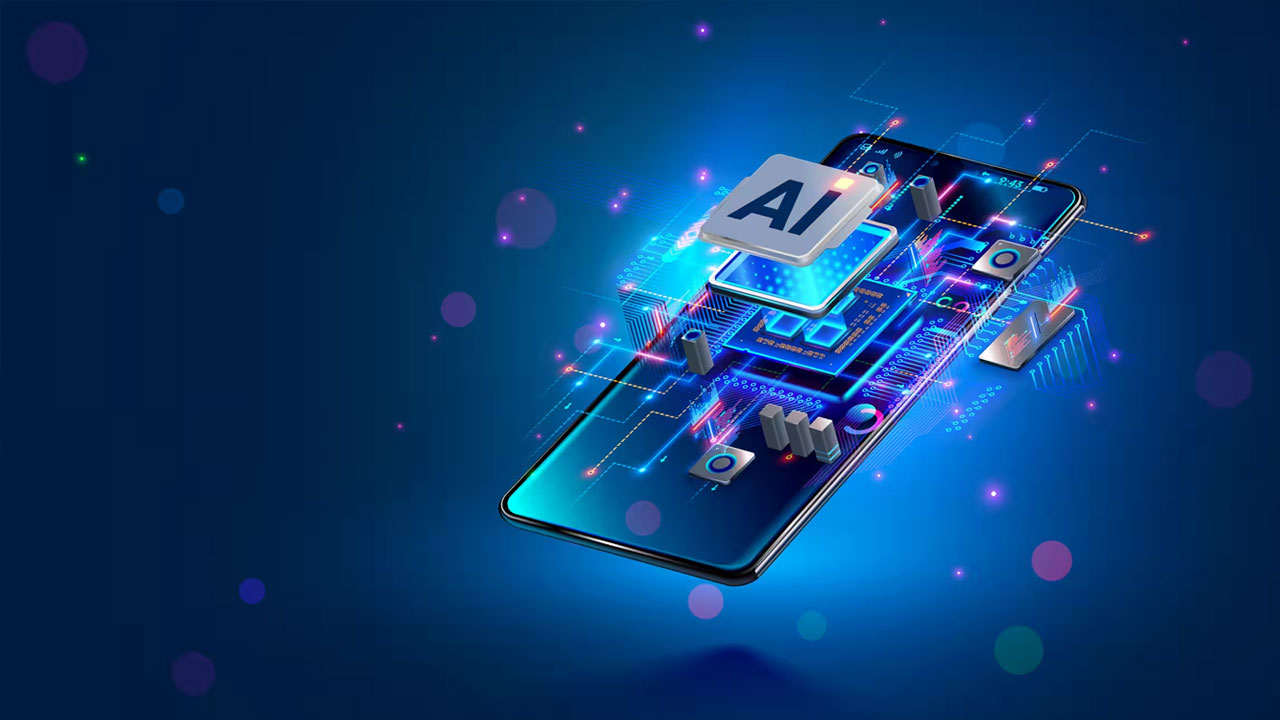
Imagine taking a photograph, asking your phone to remove an unwanted object, and getting the edited image without uploading it to an online service. Or receiving a summary of a long voice recording without sending the entire file to a remote server. These are examples of what on-device artificial intelligence (AI) can make possible. Instead of sending every request over the internet for processing, a smartphone can use its own processor to run certain AI models and complete tasks locally.
Phone manufacturers and chipmakers are increasingly building this capability into their devices. Google, Apple, Samsung and Qualcomm are among the companies developing technologies that let smartphones handle AI workloads directly on the handset.
The shift is also changing what manufacturers need to consider when designing a phone. Processing power, memory, storage, and specialised AI hardware are becoming as important as camera quality, battery capacity, and display performance.
But what exactly is on-device AI, how does it work, and why is it becoming an important part of the next generation of smartphones? Here is what users need to know.
Also Read: Samsung to Bring India-Specific AI Features to Next Galaxy Smartphones
What Is On-Device AI?
On-device AI refers to artificial intelligence that processes information directly on a smartphone or another electronic device rather than depending entirely on cloud-based servers.
In a conventional cloud-based AI system, a user enters a question or gives an instruction. The phone sends the request over the internet to a remote server, where an AI model processes it. The device then receives the result.
With on-device AI, the model runs locally on the phone’s hardware. This lets certain tasks be completed without sending information to an external server.
For example, a phone could use an on-device AI model to summarise a recorded conversation, suggest a reply to a message, recognise speech or help edit a photograph.
However, not every AI feature on a smartphone works this way. Some tasks are handled locally, while more demanding requests may still be sent to cloud-based systems. The distinction depends on the model, the task and the phone’s capabilities.
The important difference is where the processing takes place.
How Does On-Device AI Work?
Running an AI model on a smartphone is different from running one in a large data centre. Phones have limited memory, processing capacity, storage and battery power. They cannot simply run every large AI model designed for powerful cloud servers.
To enable local processing, developers use smaller, more efficient AI models that fit within mobile hardware limits.
The phone’s processor also plays an important role. Modern smartphone chips combine several processing units, each designed to handle different types of work.
These commonly include:
- Central Processing Unit (CPU): Handles general instructions and the phone’s everyday operations.
- Graphics Processing Unit (GPU): Processes graphics and can also handle certain AI workloads.
- Neural Processing Unit (NPU): A specialised component designed to accelerate AI and machine-learning tasks while managing power consumption.
The NPU matters because it can handle certain AI calculations more efficiently than a general-purpose processor.
When a user activates an on-device AI feature, the phone uses its software and hardware to process the request. The AI model analyses the information, generates an output and passes the result to the relevant application.
The exact process varies by device and manufacturer. Some features use a combination of the CPU, GPU and NPU rather than relying on one component alone.
For instance, Google’s Gemini Nano is designed to run on supported Android devices through a system service called AICore. The service manages the model and provides applications with access to on-device AI capabilities.
Apple also uses on-device models for several Apple Intelligence features, while routing certain more complex requests through its Private Cloud Compute system.
Also Read: 5 Hidden Phone Settings That Instantly Improve Battery Life
On-Device AI vs Cloud-Based AI: What Is the Difference?
The main difference between on-device AI and cloud-based AI is where processing happens. On-device AI runs directly on a smartphone, while cloud-based AI sends data to remote servers for processing. Here is how the two compare:
| Feature | On-Device AI | Cloud-Based AI |
| Where processing happens | Directly on the smartphone | On remote servers accessed over the internet |
| Internet connection | Some features can work without an internet connection | Usually requires an active internet connection |
| Response time | Often faster for supported tasks, as data does not need to travel to a server | Can depend on internet speed, server availability and network traffic |
| Privacy | Data can remain on the device, reducing the need to send it elsewhere | Data may be sent to remote servers, depending on the service and its privacy settings |
| Processing power | Limited by the phone’s processor, memory and other hardware | Uses the computing resources available in data centres |
| AI model capability | Often uses smaller models designed to run efficiently on mobile devices | Can support larger and more computationally demanding models |
| Battery and storage | Can use battery power and local storage, depending on the task and model | Relies more on network connectivity and remote computing, although internet use also consumes battery |
| Examples | Offline translation, selected photo-editing features and on-device text summaries | Complex AI queries, large-scale image generation and cloud-based AI assistants |
What does this mean for users?
Neither approach replaces the other. On-device AI is useful for tasks that need quick responses, local access or reduced data sharing. Cloud-based AI is better suited to tasks that require more computing power or access to larger AI models.
Many smartphones now use a hybrid approach, combining on-device processing with cloud-based services. This lets routine tasks run locally while remote servers handle more demanding requests.
What Can On-Device AI Do on a Smartphone?
On-device AI is not limited to chatbots or virtual assistants. It can support several everyday smartphone functions, often working in the background without requiring users to open a separate AI application.
Here are some of the main areas where it is being used.
1. Smarter Photo and Video Editing
Smartphone cameras already use AI and machine learning to improve photographs. On-device processing can take this further by helping users edit images, recognise subjects, adjust details and apply certain enhancements directly on the phone.
Depending on the device, AI features may help remove unwanted objects, improve image quality, separate subjects from backgrounds or make selected changes to photographs.
Some advanced editing tools may still rely on cloud processing, so users should check how a feature works before assuming every edit happens locally.
2. Live Translation and Speech Recognition
On-device AI can help smartphones recognise spoken words, convert speech into text and translate supported languages.
This can be useful during conversations, travel or when accessing recorded audio. Some supported features can work without an internet connection, making them more practical in areas with limited connectivity.
The number of supported languages and the accuracy of results vary by device and application.
3. Smarter Messaging and Writing Assistance
AI models running locally can help users write, rewrite or summarise messages.
For example, a phone may suggest a short response to a message, correct grammar, change a sentence’s tone, or summarise a lengthy conversation.
Google’s Android AI tools include proofreading, rewriting, summarisation, and smart replies on supported devices and applications.
4. Personalised AI Assistants
AI assistants are gradually moving beyond answering basic questions. They are being designed to understand more context, interact with applications and help users complete tasks.
On-device processing can support parts of this experience by analysing certain information locally. This may include details from a conversation or other information that a user has authorised an application to access.
However, a personalised assistant may still need cloud services to answer complex questions, retrieve current information or perform tasks requiring external systems.
5. Scam Detection and Spam Identification
AI can also help smartphones identify suspicious messages, unwanted calls and potentially fraudulent communication.
Some supported Android features use on-device AI to analyse messages or conversations and identify patterns associated with spam or scams.
This can help users receive warnings earlier, although no detection system can identify every fraudulent message or guarantee complete protection.
Also Read: Apple iPhone Duo Faces ‘Crackgate’ After Users Report Broken Foldable Screens
Why Are Smartphone Manufacturers Moving Towards On-Device AI?
Growing interest in on-device AI stems from several practical considerations. Manufacturers want smartphones to offer smarter features without relying entirely on an internet connection or remote computing infrastructure.
Four major reasons drive this shift.
1. Faster Responses
When an AI task is processed locally, the phone does not need to send every request to a remote server and wait for the result.
This can reduce delays, particularly for smaller tasks such as speech recognition, text summarisation and suggested replies.
Actual speed still depends on the phone’s processor, memory, and the AI model’s complexity.
2. Greater Privacy Control
On-device processing can reduce the amount of personal information sent to external servers.
For example, if a supported feature summarises a recording locally, the audio doesn’t need to be uploaded to a cloud service for that task.
However, local processing does not automatically make an entire application private. An app may still collect information, connect to external services or transmit data for other functions. Users should check the privacy policies and data permissions of the applications they use.
3. Access Without an Internet Connection
Some AI features can work even when a phone is offline because the model is already stored on the device.
This can be useful while travelling, in areas with poor network coverage or when users want to complete basic tasks without mobile data.
However, offline access is limited to the features and information available locally. Tasks that require live web searches, cloud services, or updated information still need connectivity.
4. Reduced Dependence on Cloud Processing
Running suitable AI workloads locally can reduce the need to send every request to a remote server.
For frequently used tasks, this may also reduce the amount of cloud computing required by service providers. It does not eliminate cloud infrastructure, particularly for complex AI models and services that require access to large amounts of external information.
Also Read: Made-in-India Phones Get Rs 19,091 Crore PLI Boost as Smartphone Exports Surge
What Is an NPU and Why Does It Matter for On-Device AI?
A neural processing unit, or NPU, is a specialised processor designed to handle artificial intelligence and machine-learning calculations.
Traditional smartphone processors can perform AI-related tasks, but an NPU is designed to manage certain workloads more efficiently.
This matters because AI models can involve many calculations. Running these tasks through general-purpose hardware alone may consume more power or take longer, depending on the workload.
Smartphone chipmakers are therefore incorporating dedicated AI processing capabilities into their processors.
Qualcomm’s Snapdragon platforms, Google’s Tensor chips and Apple’s A-series processors are examples of mobile chip families that include hardware designed to support AI workloads.
The NPU’s performance is one factor that determines how effectively a phone can run supported AI models. Memory, software optimisation, thermal management, and model size also affect the overall experience.
This is why two phones with similar specifications may offer different AI capabilities.
Does On-Device AI Work Without the Internet?
Yes, some on-device AI features can work without an internet connection, as long as the required model and supporting software are already on the phone.
For example, supported devices can use local models for tasks such as text summarisation, proofreading, speech recognition and smart replies.
Google’s Gemini Nano supports generative AI features directly on compatible Android hardware. Apple’s on-device Apple Intelligence models can also handle certain requests without sending them to the cloud.
However, offline functionality has limits.
A request to summarise a locally stored recording may be handled on the phone, while a request to find the latest news or retrieve information from a website will require an internet connection.
Users should also remember that some AI features need an initial download, software update or model installation before they can work offline.
Also Read: Apple iOS 27 Brings Standalone Siri App, Faster Photo Edits and New iPhone Tools
Is On-Device AI More Secure and Private?
One of the main reasons for developing on-device AI is to give users more control over how their information is processed.
When a task is completed locally, the information used for that task may not need to leave the phone. This can reduce exposure to risks associated with transmitting personal data to external servers.
For example, a locally processed message summary may not require sending the message content to a cloud-based AI service.
However, on-device AI should not be treated as a guarantee of complete privacy or security.
The application using the AI model may still collect data or communicate with external services. The device itself may also be vulnerable to malicious applications, security flaws or unauthorised access.
Users should check application permissions, install software updates and understand how individual features handle their information.
Businesses deploying on-device AI across employee devices should also consider device management, application security and data protection policies.
What Are the Limitations of On-Device AI?
Although on-device AI offers several advantages, it also comes with practical limitations.
- Hardware requirements: Running AI models locally requires sufficient processing power, memory and storage. Older or entry-level phones may not support certain features.
- Limited model capabilities: Smaller models designed for smartphones may not perform as well as larger cloud-based models on complex tasks.
- Battery consumption: AI processing uses power. Frequent or demanding tasks can increase battery consumption, even when an NPU is designed to improve efficiency.
- Storage requirements: AI models and updates can take up extra space on a device.
- Heat and performance: Sustained processing can increase device temperature and may affect performance, depending on the phone’s cooling design.
- Feature availability: AI capabilities can vary by manufacturer, model, software version, language and region.
This means an AI-capable processor doesn’t automatically give every phone the same AI experience. Software support and manufacturer decisions also play an important role.
Also Read: Apple Finally Made a Foldable iPhone. Samsung Was Waiting to Roast It
Will Every New Smartphone Have On-Device AI?
On-device AI is likely to become more common as manufacturers develop processors and software designed specifically for AI workloads.
However, the idea that every new phone will offer the same on-device AI capabilities is premature.
Premium smartphones are generally better positioned to support demanding AI features because they tend to have more powerful processors, larger memory configurations and dedicated AI hardware.
More affordable devices may offer selected AI functions, but hardware, software support, and the manufacturer’s product strategy can limit their capabilities.
The shift isn’t limited to premium processors. As mobile chipmakers develop more efficient AI hardware, the technology could gradually reach a wider range of devices.
For consumers, the key question isn’t simply whether a phone carries an AI label. It is whether the device can run the features they actually need, how reliably those features work and how the manufacturer handles personal information.
What Should You Check Before Buying an AI Smartphone?
If you are planning to buy a new smartphone, it is worth looking beyond the manufacturer’s AI marketing claims. Here are a few things to check:
- Processor and NPU: Check whether the phone has dedicated AI processing hardware and whether its chipset supports the features you want.
- RAM and storage: AI models can require additional memory and storage. Check the device’s specifications and available storage before buying.
- Supported AI features: Look at the actual functions offered on the phone rather than relying only on general claims about AI capabilities.
- Offline functionality: Find out which features work without an internet connection and which require cloud processing.
- Privacy controls: Check whether the manufacturer explains where AI processing takes place and what information may be sent to external servers.
- Software support: Look at the manufacturer’s update policy and whether it has committed to supporting AI features on the device over time.
- Language and regional availability: Some features may not be available in every country or language at launch.
An AI-capable smartphone should offer useful features that work reliably, not just another spec on the product sheet.
Also Read: PhonePe’s UPI 123Pay Explained: Feature Phones Can Now Make UPI Payments Without Internet
On-Device AI Is Changing What a Smartphone Can Do
On-device AI is becoming an important part of smartphone development because it lets certain intelligent features run directly on the device. From translating speech and summarising messages to improving photographs and identifying suspicious communication, the technology is gradually becoming part of everyday phone use.
The shift does not mean cloud-based AI will disappear. Larger models and complex requests will continue to rely on remote computing, while smaller and more specialised tasks can increasingly be handled locally.
For smartphone manufacturers, the challenge will be balancing AI performance with battery life, memory, privacy, and affordability. For consumers, the real measure of progress will be whether these features make their phones more useful without compromising control over their information.
The next generation of smartphones will not be defined by AI features alone, but by how effectively they combine local intelligence with the cloud’s wider computing power.
Frequently Asked Questions About On-Device AI
1. What is on-device AI in simple words?
On-device AI is artificial intelligence that runs directly on a smartphone or another device instead of relying entirely on remote servers. It lets supported tasks, such as text summarisation, translation, and image processing, run locally.
2. Does on-device AI need an internet connection?
Not always. Some features can work offline if the AI model is already installed on the phone. However, tasks that require live information, web searches or cloud-based processing still need an internet connection.
3. Is on-device AI better than cloud AI?
Neither is better for every task. On-device AI can offer faster responses, offline access and greater control over personal information. Cloud AI can use larger models and more computing resources for complex tasks. Many smartphones combine both approaches.
4. Does on-device AI drain battery life?
AI processing uses power, and demanding tasks can increase battery consumption. Dedicated NPUs are designed to handle supported workloads efficiently, but actual power use depends on the model, task and phone hardware.
5. What is an NPU in a smartphone?
An NPU, or neural processing unit, is a specialised processor designed to handle AI and machine-learning tasks. It helps smartphones run supported AI features more efficiently than relying on general-purpose processing hardware alone.

Samarjit Kaur is a journalist and communications professional covering technology & emerging digital trends. With a focus on clarity and context, she reports on developments shaping industries and governance. When not reporting, she chooses to plug-in and relax on her playlists and plan her next bucket-list trips!